Teardown illustration
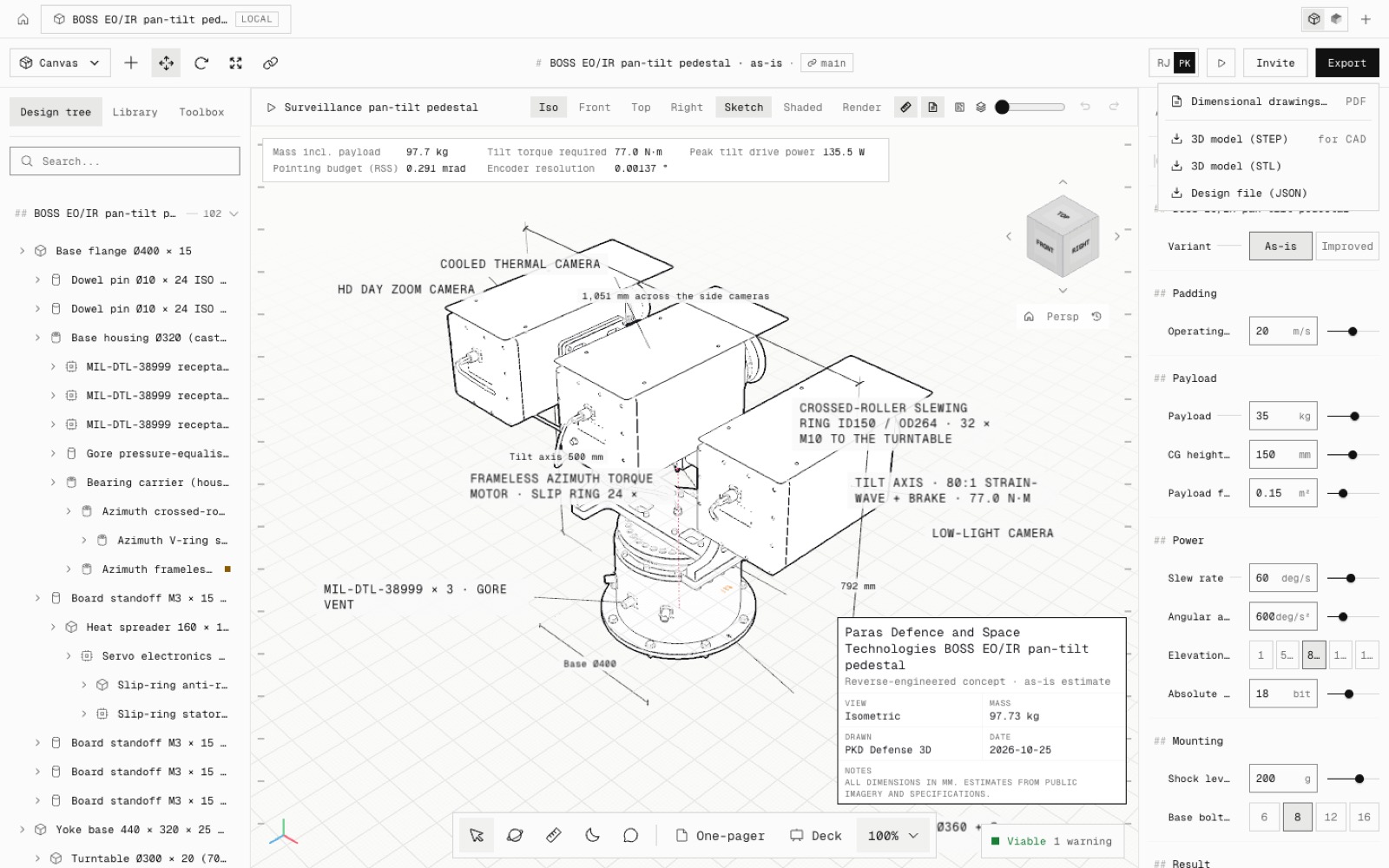
Export → Teardown illustration draws the open design as an exploded technical illustration: fine ink on near-white paper, light grey parts, part names at the edges of the sheet. The assembled view is one switch away, and it downloads as SVG, PNG or PDF.
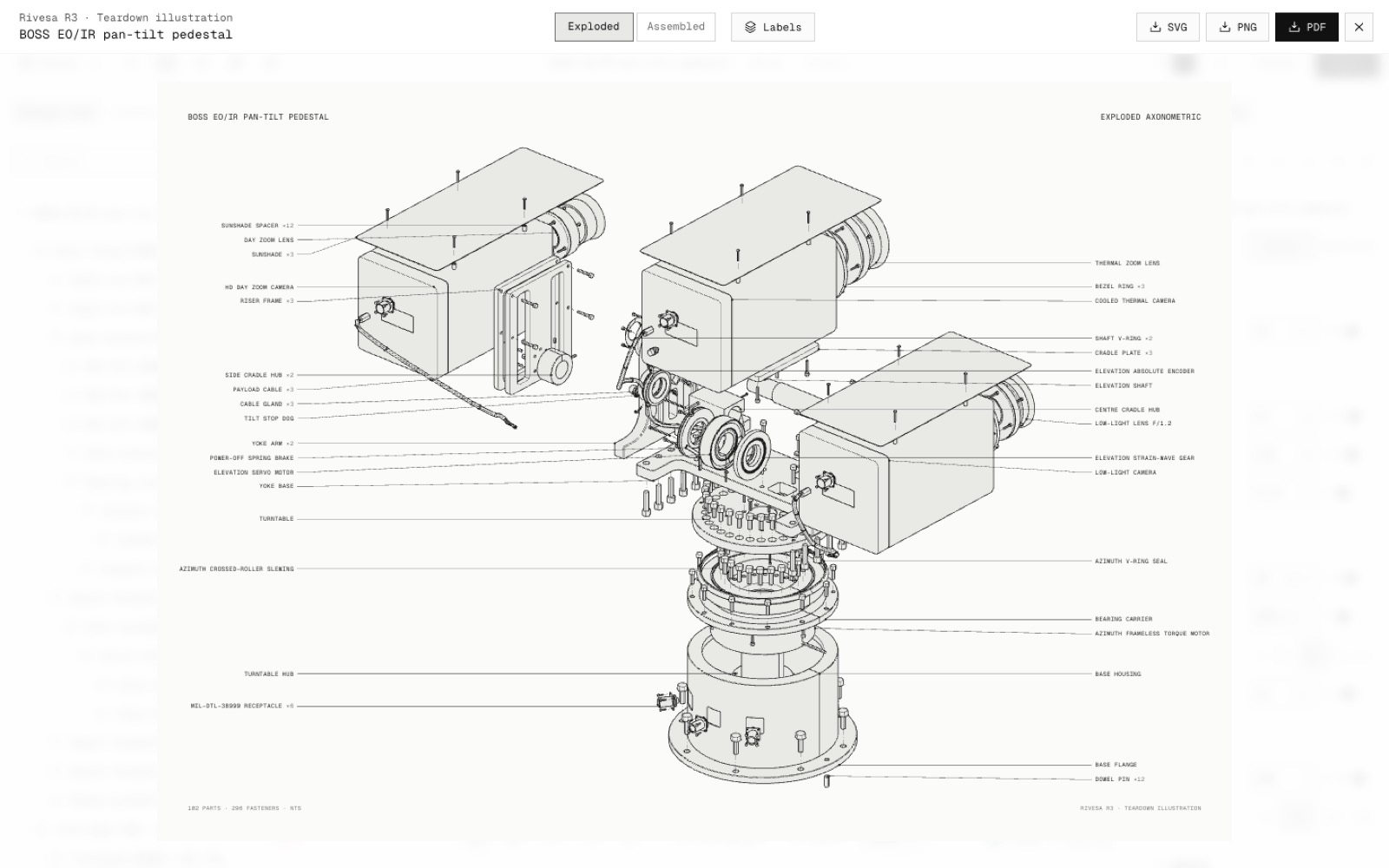
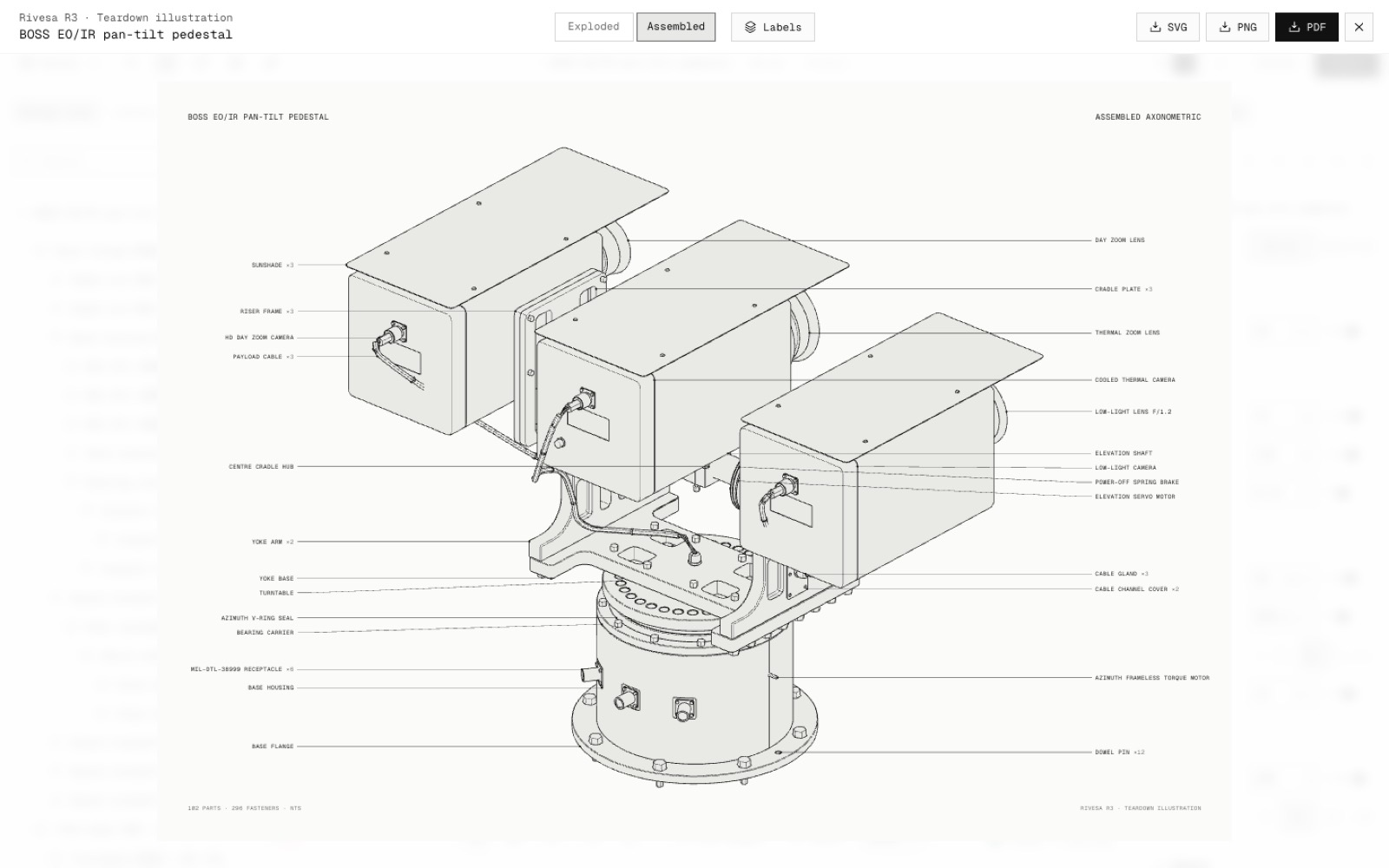
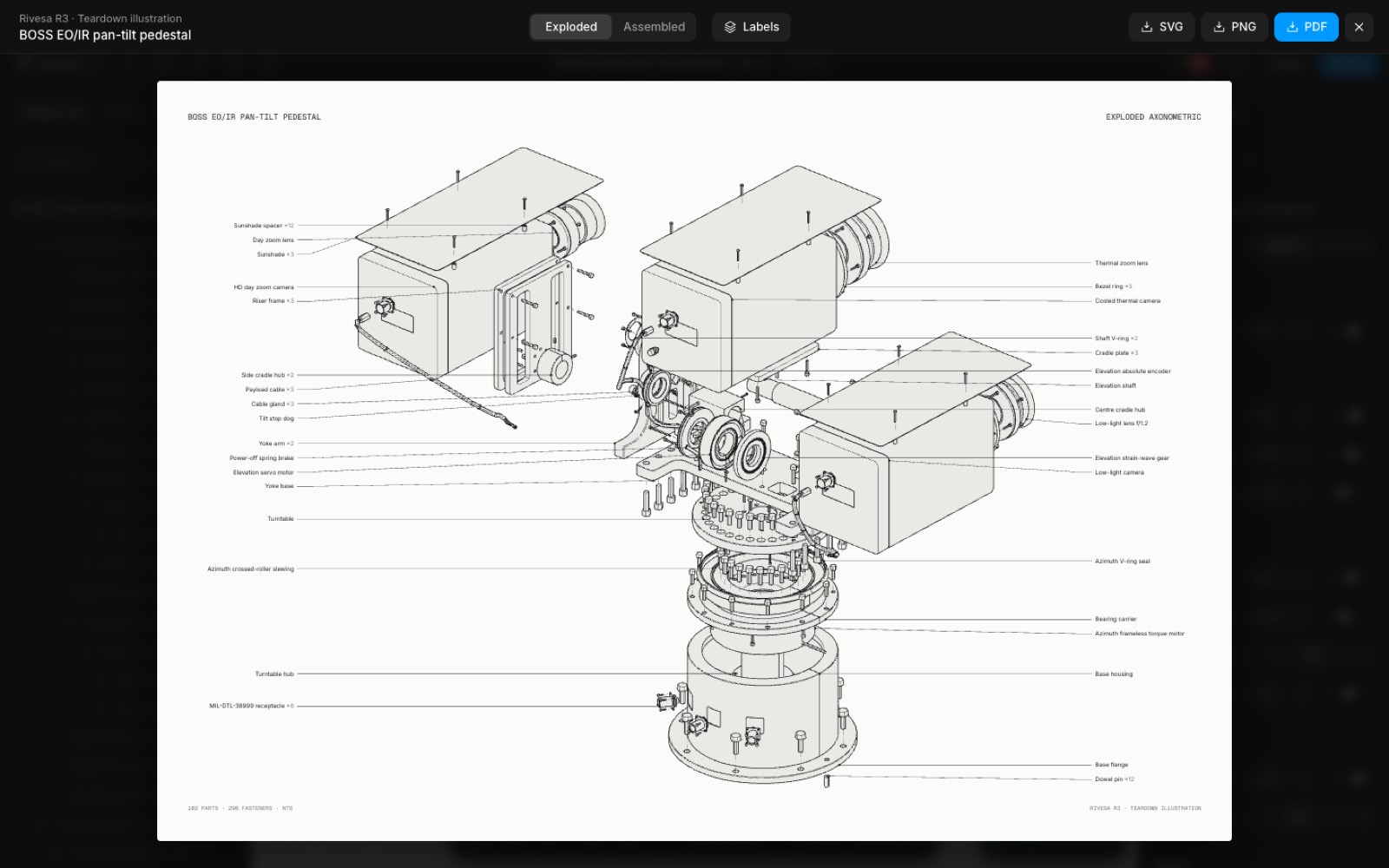
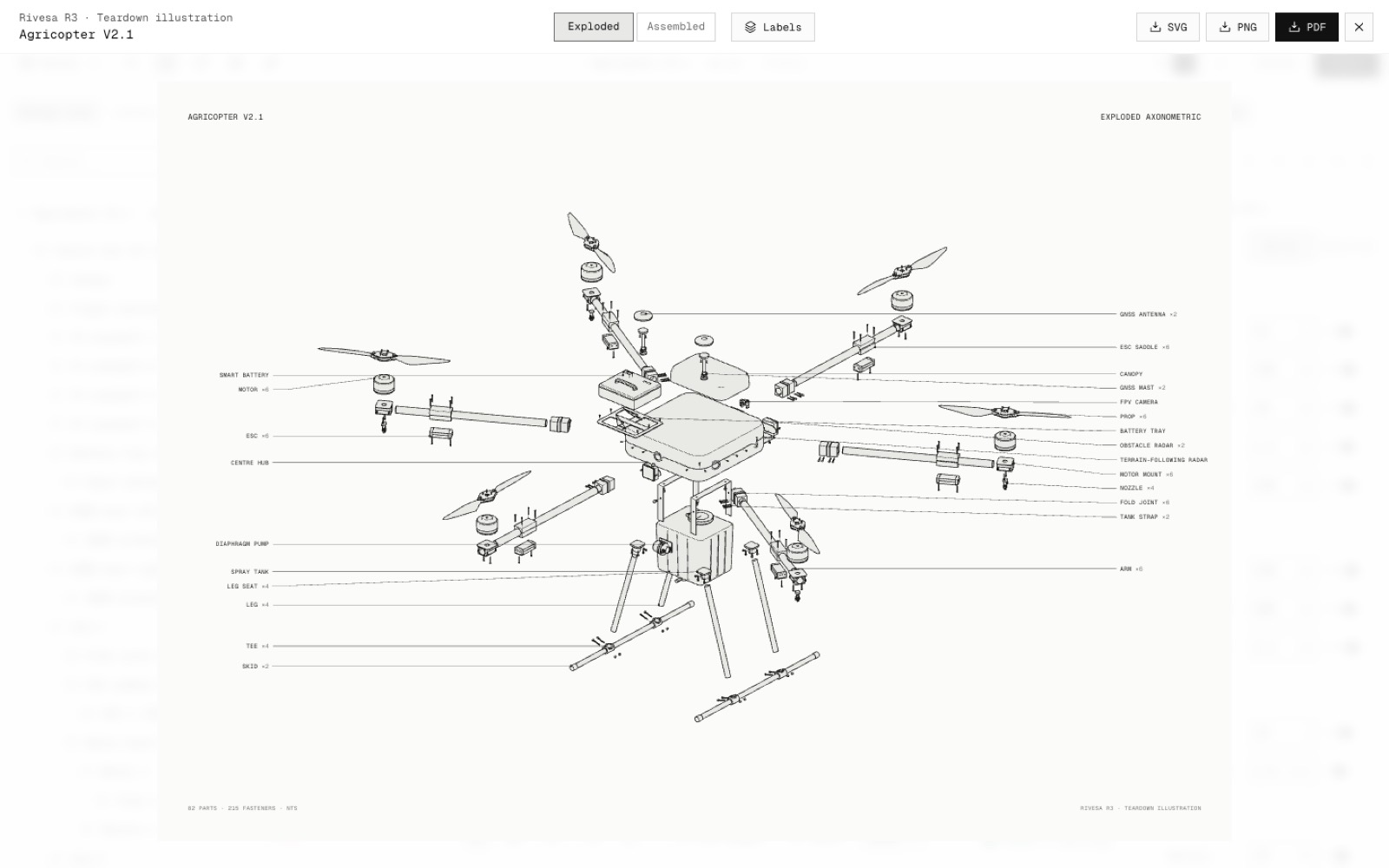
Built on Jakub Krehel's teardown skill. Every part and fastener is drawn from the same geometry as the canvas, through a parallel axonometric camera with hidden lines removed. The parts come apart along the editor's own split-up plan, and each screw backs out of its hole along a dashed trail.
Part names sit in two columns at the left and right edges of the sheet, each with a hairline leader to its part, so no label covers the drawing. Repeated parts share one label with a count (Motor ×6), and each leader starts at the point of its part where it crosses the fewest lines. Hover a label to ink its part in blue, or switch Labels off.
In the Tech theme the labels are small uppercase monospace. In the dark theme they are set in its sans, as the names are written. The drawing is the same in both.
The SVG carries the app's fonts inside the file, the PNG is 300 dpi at A3, and the PDF is a vector A3 page. The BOSS pedestal draws in about five seconds, in the background.
- Added
- Export → Teardown illustration (also File menu, Quick actions and Alt+8)
- SVG, 300 dpi PNG and vector PDF downloads
- npm run test:illustration
- Try it
Open the BOSS pan-tilt pedestal, click Export → Teardown illustration, then switch between Exploded and Assembled.
Open Speed- Shipped in
eefd9db