CommandManager: Features, Sketch and Evaluate
The part modeller's commands sit in SolidWorks-style tabs, and the new Evaluate tab measures, sections and gives the mass properties of the part you are editing.
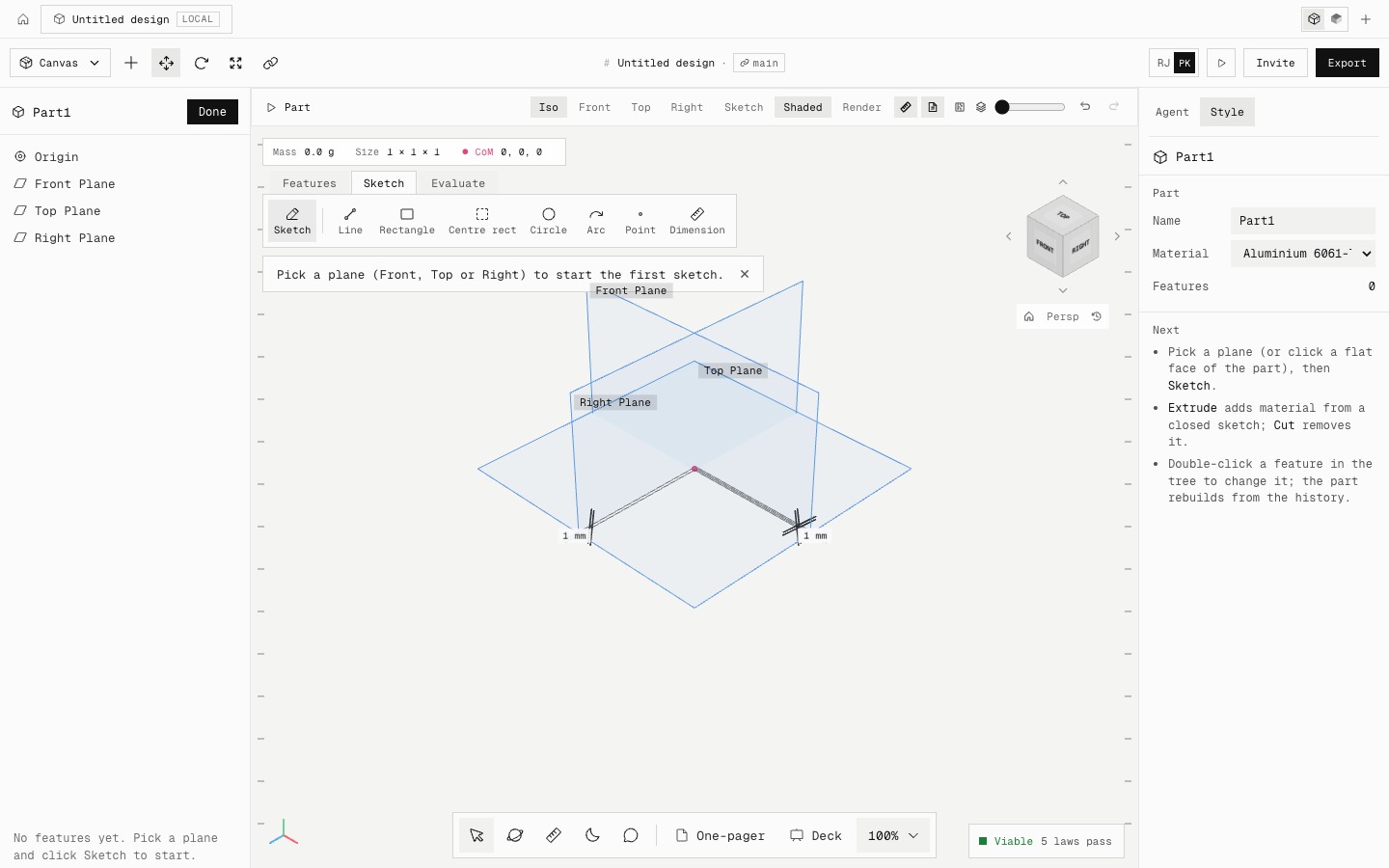
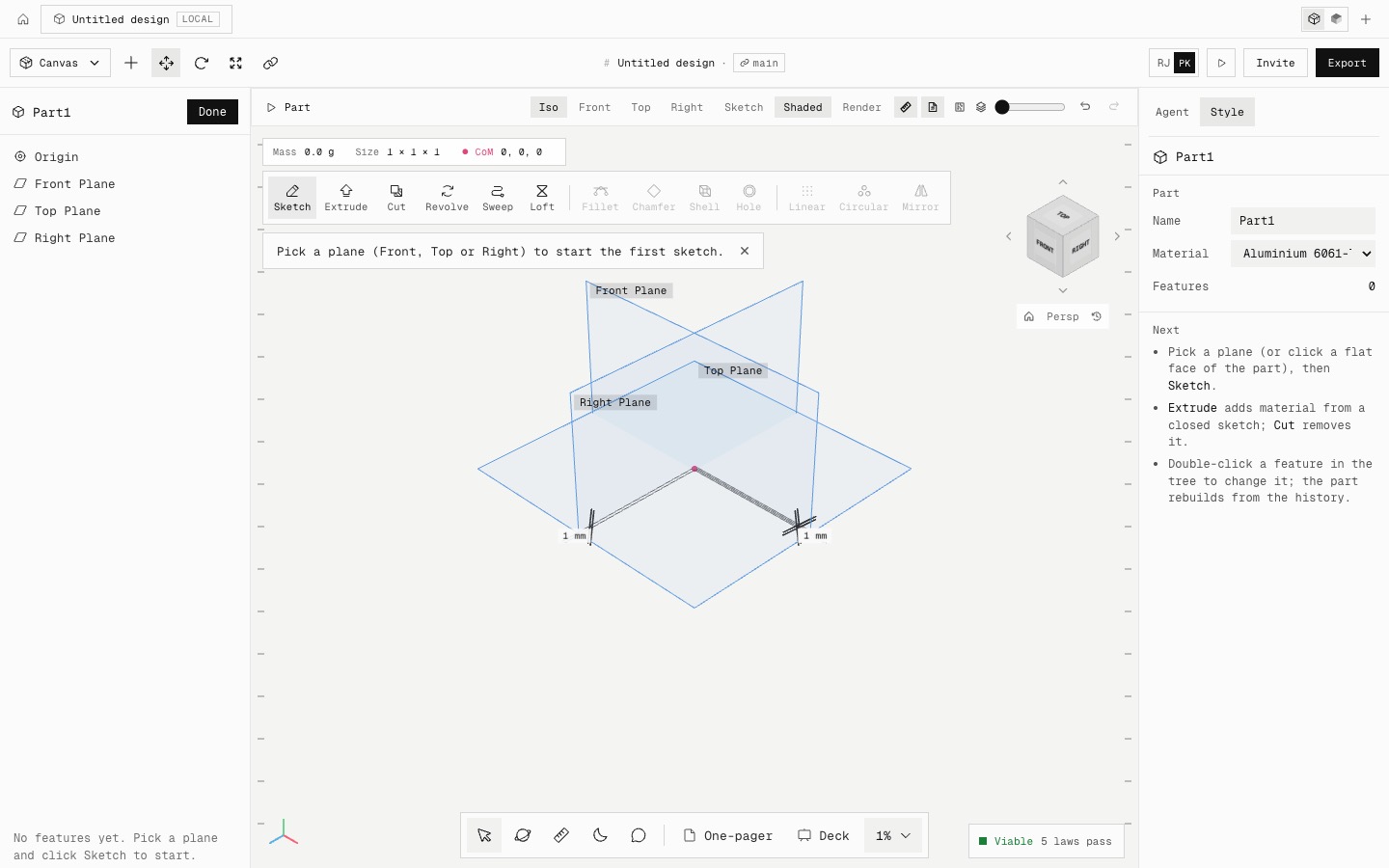
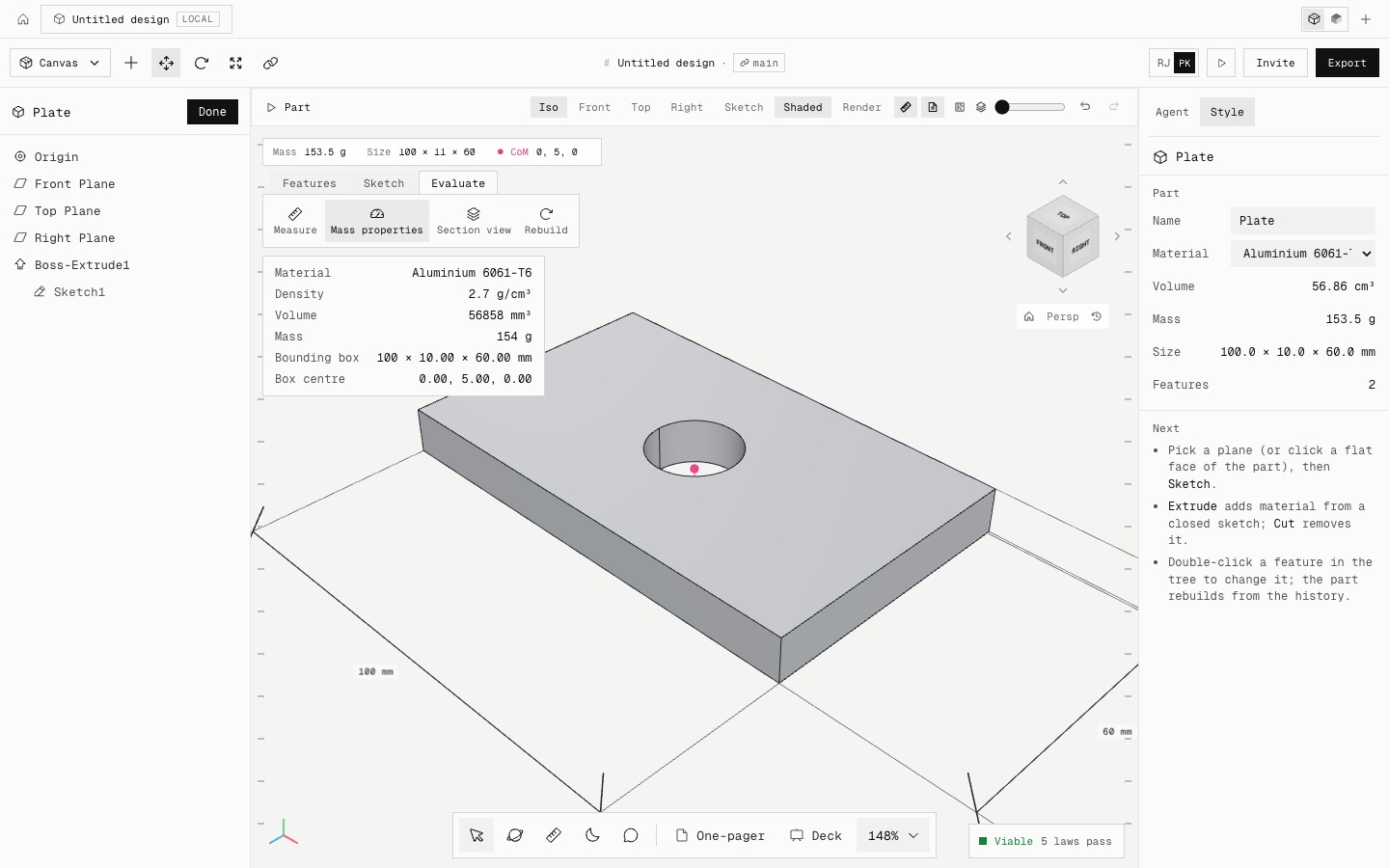
Above the canvas, the command bar now has three tabs, as in SolidWorks' CommandManager:
• Features: extrude, cut, revolve, sweep, loft, fillet, chamfer, shell, hole, patterns and mirror.
• Sketch: open a sketch, or pick a plane and go straight to a line, rectangle, circle, arc or dimension. While a sketch is open this tab shows its tools.
• Evaluate: Measure, Mass properties, Section view and Rebuild.
A new part opens on the Sketch tab, since its first step is a sketch.
Mass properties lists the material, density, volume, mass and bounding box of the part. For a 100 × 60 × 10 mm aluminium plate with a 20 mm hole it reads 56,858 mm³ and 153.5 g, exactly the hand calculation.
Fixed: the zoom read-out on a new blank part said 1 %. It now reads 100 % at the default view.
- Added
- CommandManager tabs
- Evaluate: Measure, Mass properties, Section view, Rebuild
- Fixed
- Zoom read-out of 1 % on a blank part
- Try it
Click New project, then the Evaluate tab once you have extruded a sketch.
Open Speed- Shipped in
eed3813