The part editor, laid out like SolidWorks
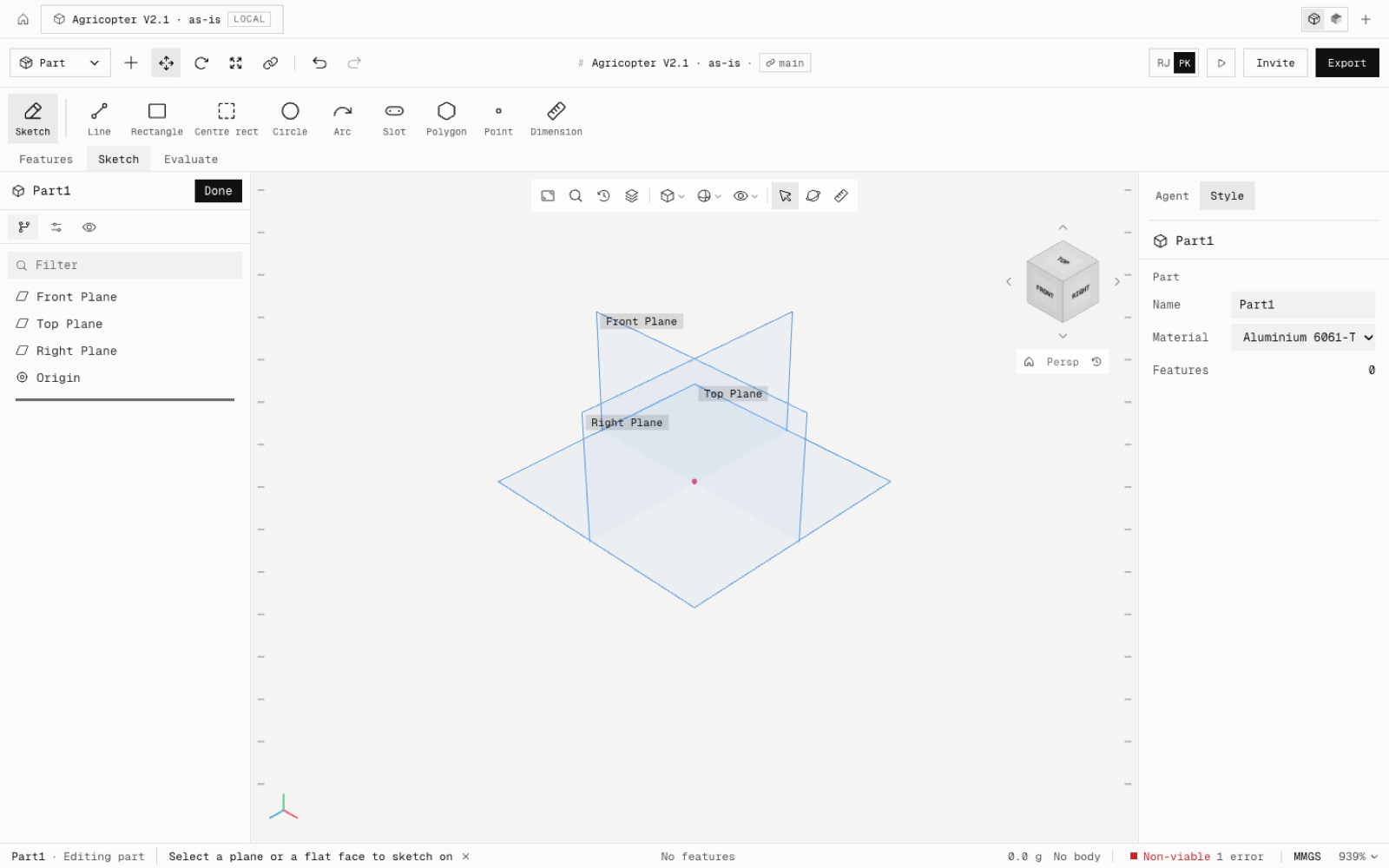
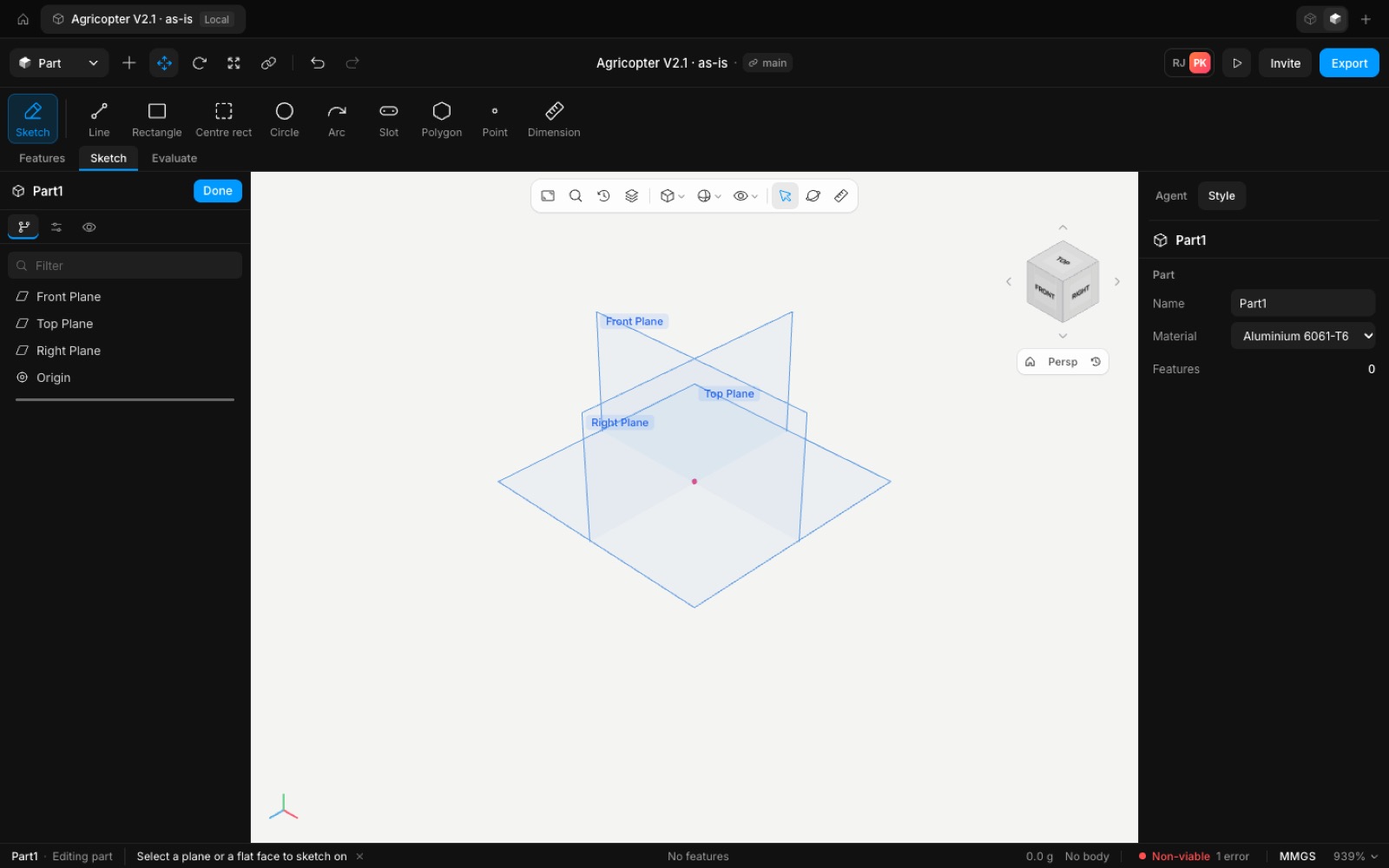
Editing a part now follows the layout SolidWorks users know, finished in our style. The command ribbon sits on top with its tabs underneath, the FeatureManager and PropertyManager are on the left, one view toolbar floats at the top centre of the model, and a status bar runs along the bottom. The sketch panel edits real values instead of showing help text.
Laid out from 77 sourced references on how SolidWorks arranges its window (docs/research/solidworks-ui-references.md). Only positions and names were followed: the icons, colours and code are our own.
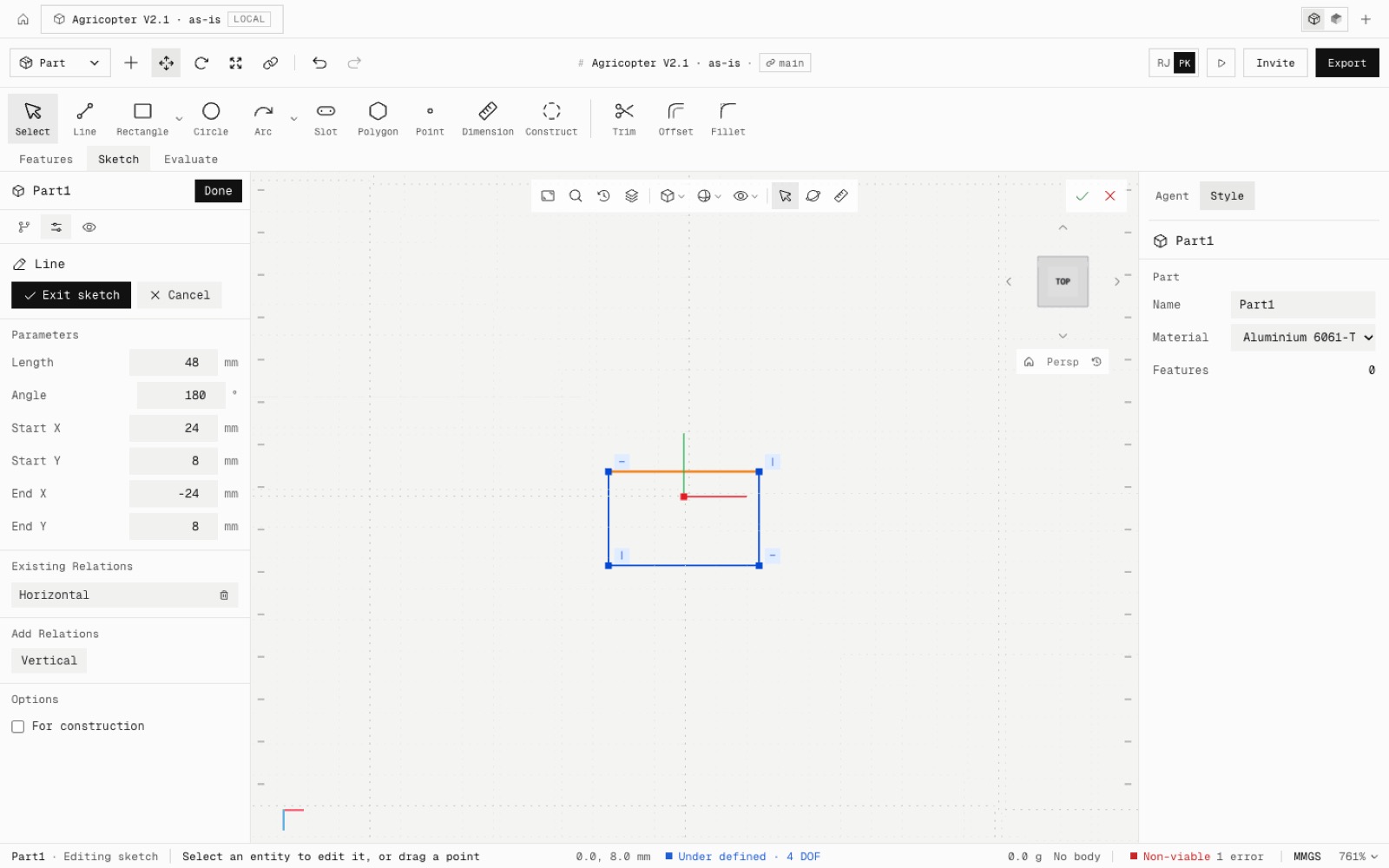
Ribbon: Features · Sketch · Evaluate tabs under a full-width band of large icon-over-label buttons. Left pane: FeatureManager, PropertyManager and Display tabs, a Filter field, and the tree in SolidWorks' order (Front, Top, Right Plane, Origin, then features). A command or sketch opens its PropertyManager there, with OK / Cancel at the top and in the corner of the view.
The view toolbar runs, left to right: zoom to fit, zoom to selection, previous view, section view, view orientation, display style, hide/show, then select, rotate and measure. The status bar shows the part and what you are editing, one short prompt, the sketch coordinates and definition state (Under defined · 4 DOF), the part's mass and size, viability, MMGS and zoom.
The sketch PropertyManager edits the selection. For a line, edit its length, angle and end points, or for a circle, arc, point or polygon its own values. Existing relations are listed and Add Relations offers only the ones that fit. Typing 60 into a line's length is one sketch undo step.
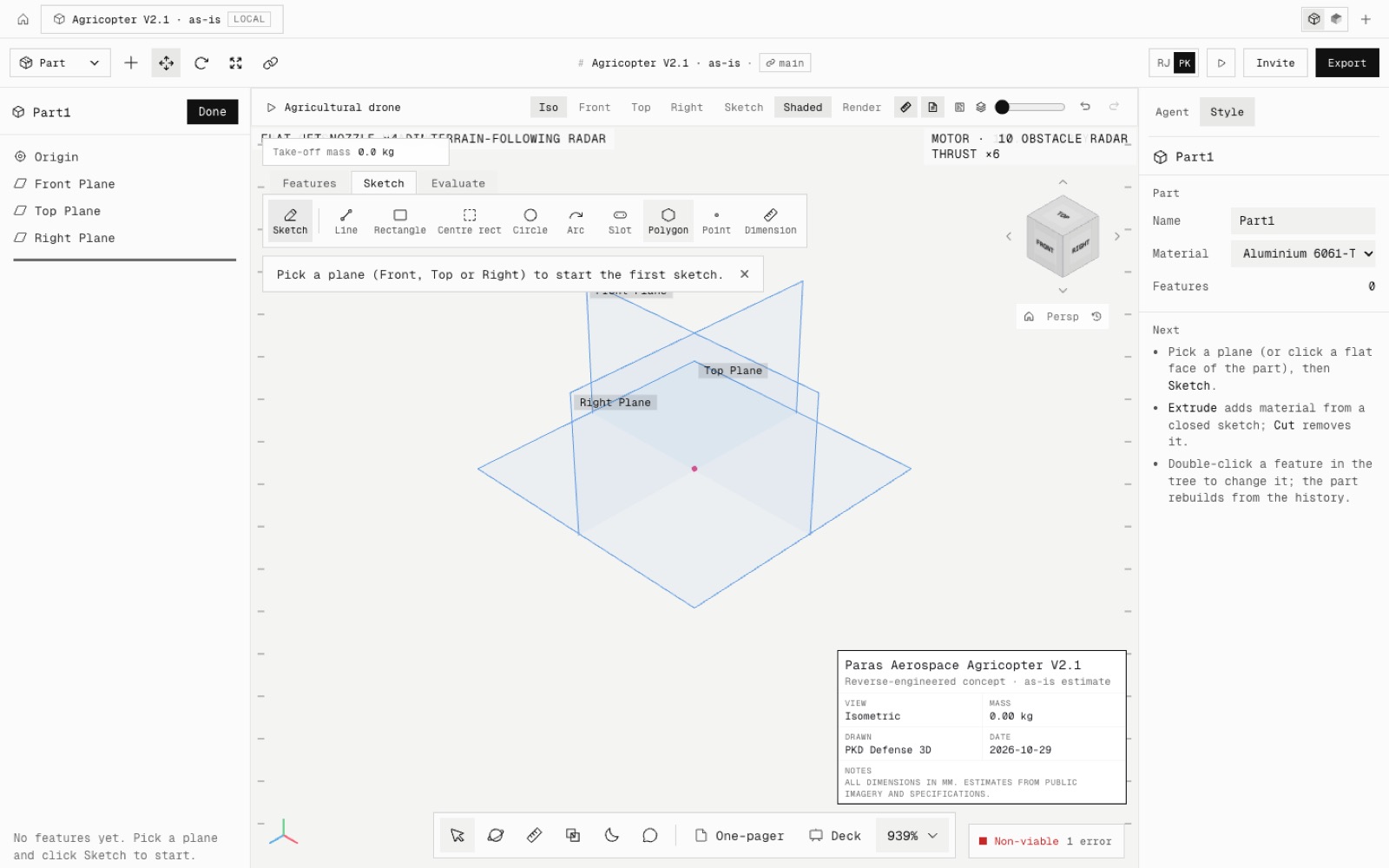
Gone while a part is open: the floating mass chip, the viability pill, the bottom dock, the help bubbles and the How to and Next lists, and the previous product's title block and callouts. One-pager and Deck move into Export. Other workspaces are unchanged.
Not yet: sketch definition marks in the tree, History and Material folders, Zoom to area, scene and appearance in the view toolbar, and selection breadcrumbs.
- Added
- Docked command ribbon
- FeatureManager / PropertyManager / Display tabs and a tree filter
- Heads-up view toolbar
- Status bar
- Sketch PropertyManager with editable values and relations
- npm run test:part-layout
- Improved
- No help text over the model while editing a part
- One-pager and Deck are in Export
- Try it
Start a new project, pick the Top plane, draw a rectangle and click one of its lines.
Open Speed- Shipped in
7ddde1a