Rivesa R3 thinks before it builds
The agent now reads a request the way an engineer does before touching the canvas. It picks how to think about it: a quick edit, a design from a brief, a set of options, a diagnosis, an improvement or a review. For a brief it pins the requirements down first and shows them above its plan, marking each one as something you said, a default it assumed, or a reading to confirm. You can see how it understood you, and redirect it, before it builds.
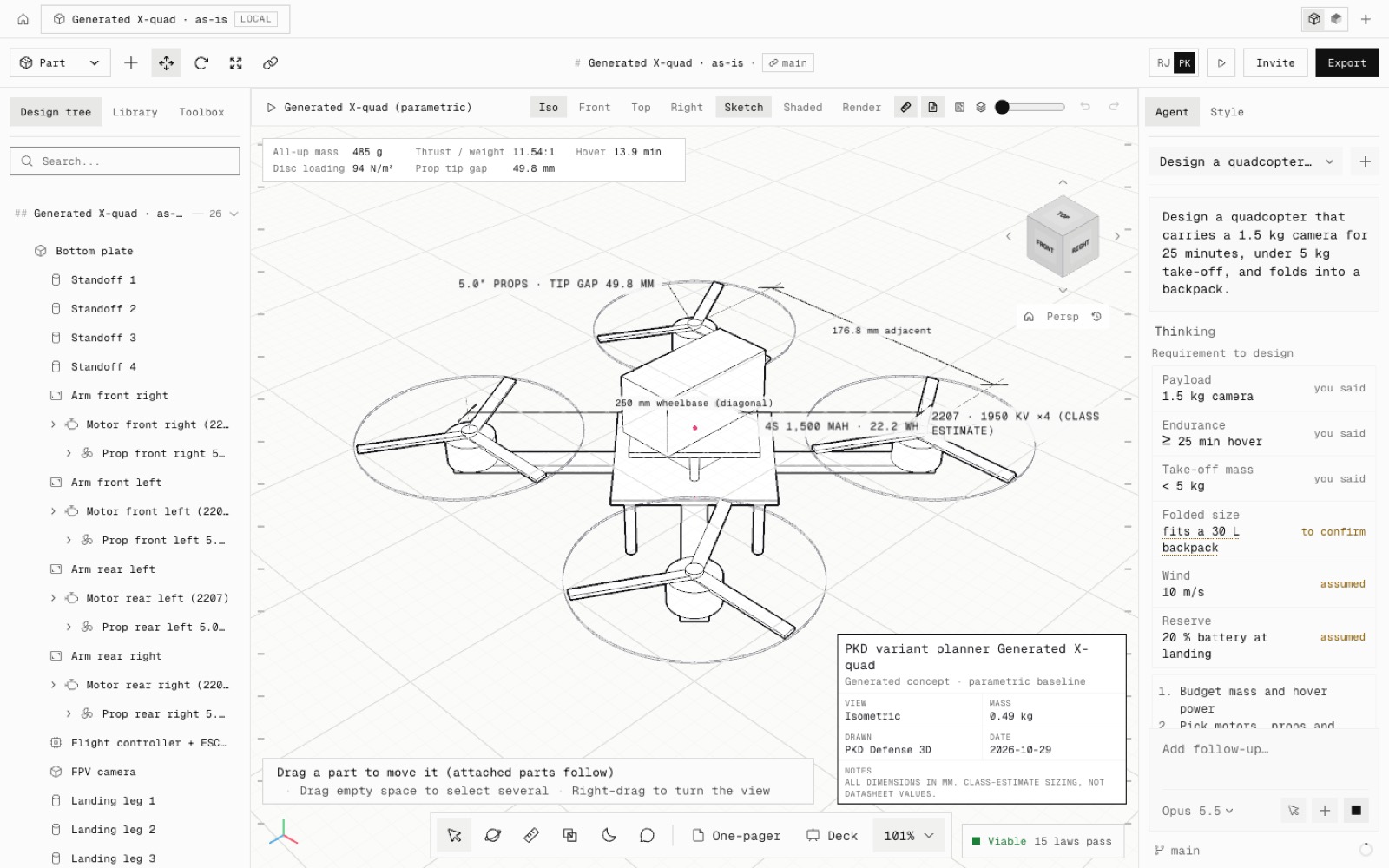
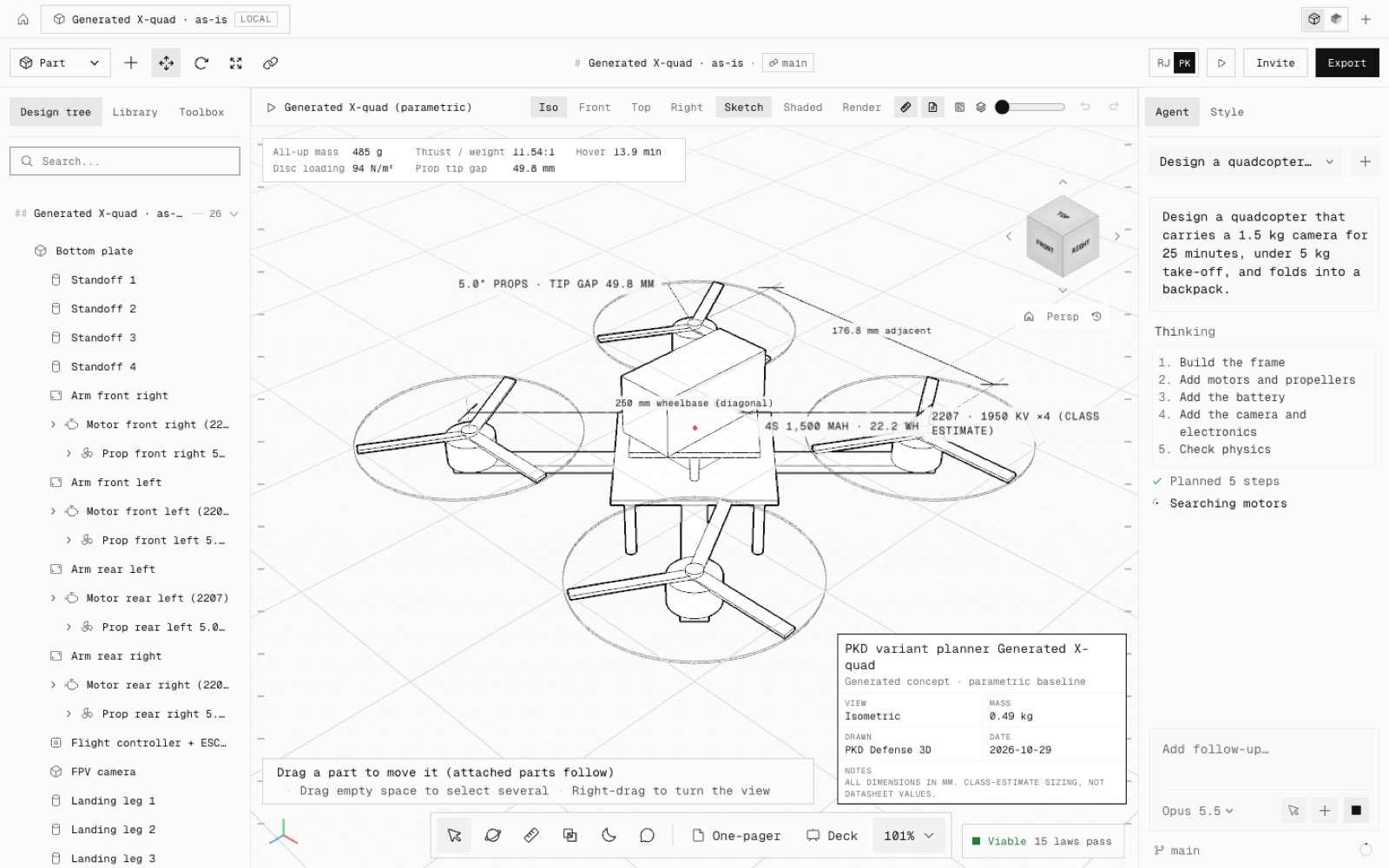
Six thinking frameworks, each with when it fits and a few moves: Direct edit, Requirement to design, Design space, Diagnose, Improve and Red-team review. They are lenses, not scripts: the agent combines them (a brief that asks for three options is a requirement plus a design space) and skips them for small changes, so a quick question never turns into a project.
Requirement to design: pin down every number given, the defaults a working design also needs, and any word that reads two ways; turn the hard ones into budgets that add up (mass, power, accuracy, cost); pick the architecture and know the runner-up; size from first principles and the catalogue; build in subsystems; finish by checking every requirement.
Design space: name the axes that really change a design, make variants that differ on purpose, meet the brief as written first and then improve on it with one clear idea per variant. Diagnose separates symptom from cause, local from global and real physics from a modelling artefact before fixing anything.
Habits for every request: fit the user (numbers and margins for an engineer, plain words and one recommendation for someone new), think in the open but briefly, take a sensible default instead of stalling, and say which numbers are estimates.
The plan now carries the approach and up to 12 requirements, each tagged you said, assumed or to confirm; assumed and to-confirm ones show in amber, and the folded work log counts them. The build order is no longer drone-only: it follows the load path, with drone and gimbal examples. The reply names every assumption the result rests on and any requirement not met.
Checked offline with a scripted model (npm run test:agent-frameworks): the prompt carries every framework, the plan tool cleans what a model sends, the plan reaches the panel, a direct question still runs with no plan, and saved chats keep the requirements.
- Added
- Thinking frameworks for the agent (lib/agent/frameworks.ts)
- Requirements with stated / assumed / to confirm in the plan
- npm run test:agent-frameworks
- Improved
- The plan step reads Thinking it through
- Build order follows the load path for any product, not only drones
- Replies name the assumptions a result rests on
- Try it
Open the Agent tab and give it a brief with numbers, for example: a quadcopter that carries a 1.5 kg camera for 25 minutes and folds into a backpack.
Open Speed- Shipped in
6774d2e