Exact drawing views: hidden-line vectors, DXF and a true-scale PDF
Drawing views of modelled parts and plain primitives are now drawn from OpenCascade's exact hidden-line projection: visible edges, hidden edges dashed and tangent edges thin, as vectors at true scale. Drawings download as DXF, vector PDF and SVG, and dimensions measure the real edges.
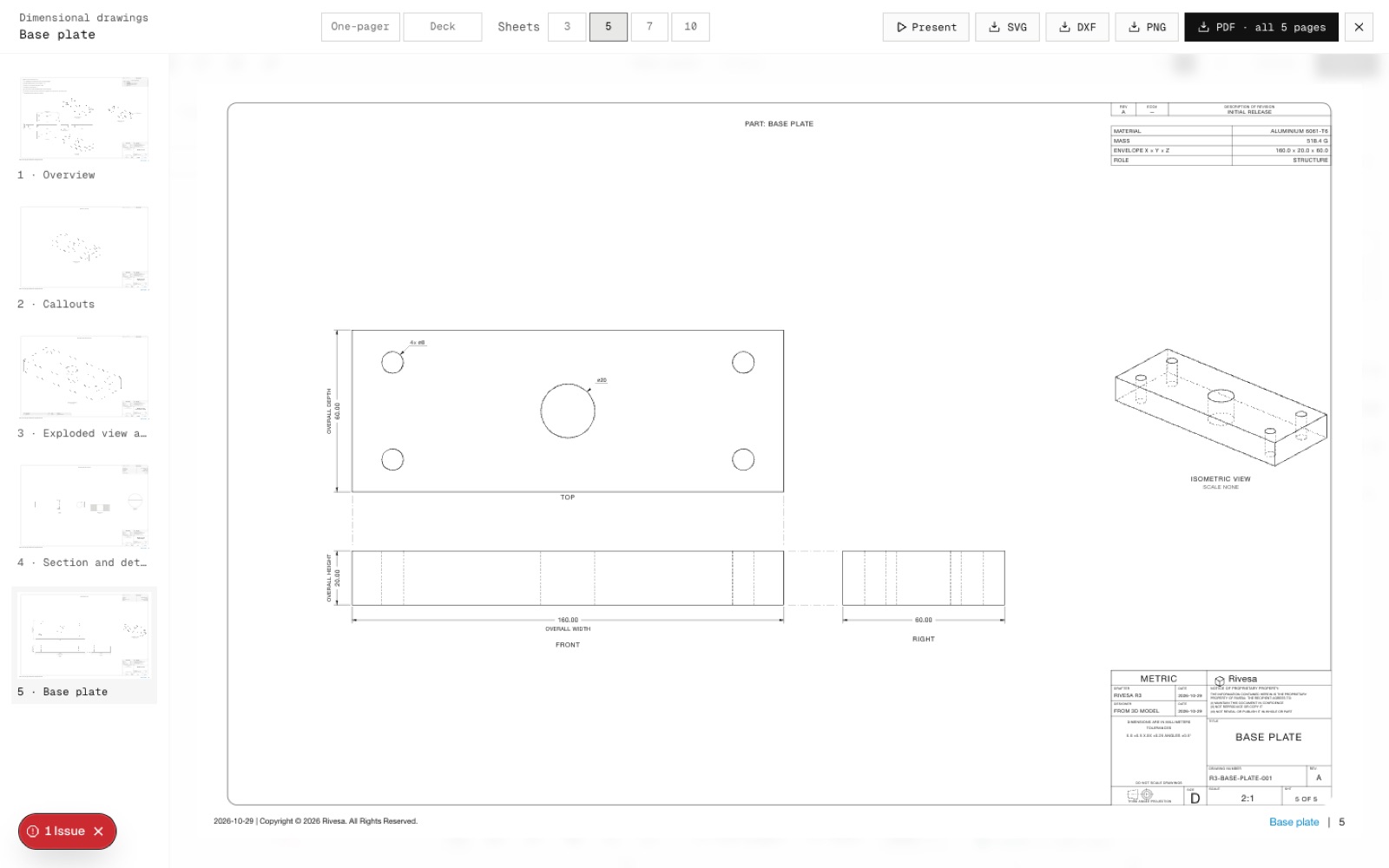
This is the first part of step N5 of the North Star plan. The kernel worker runs OpenCascade's exact hidden-line removal on the part's solid for each view direction, and returns visible, outline, tangent and hidden edges with circles kept exact. Before this, views were screenshots of the canvas.
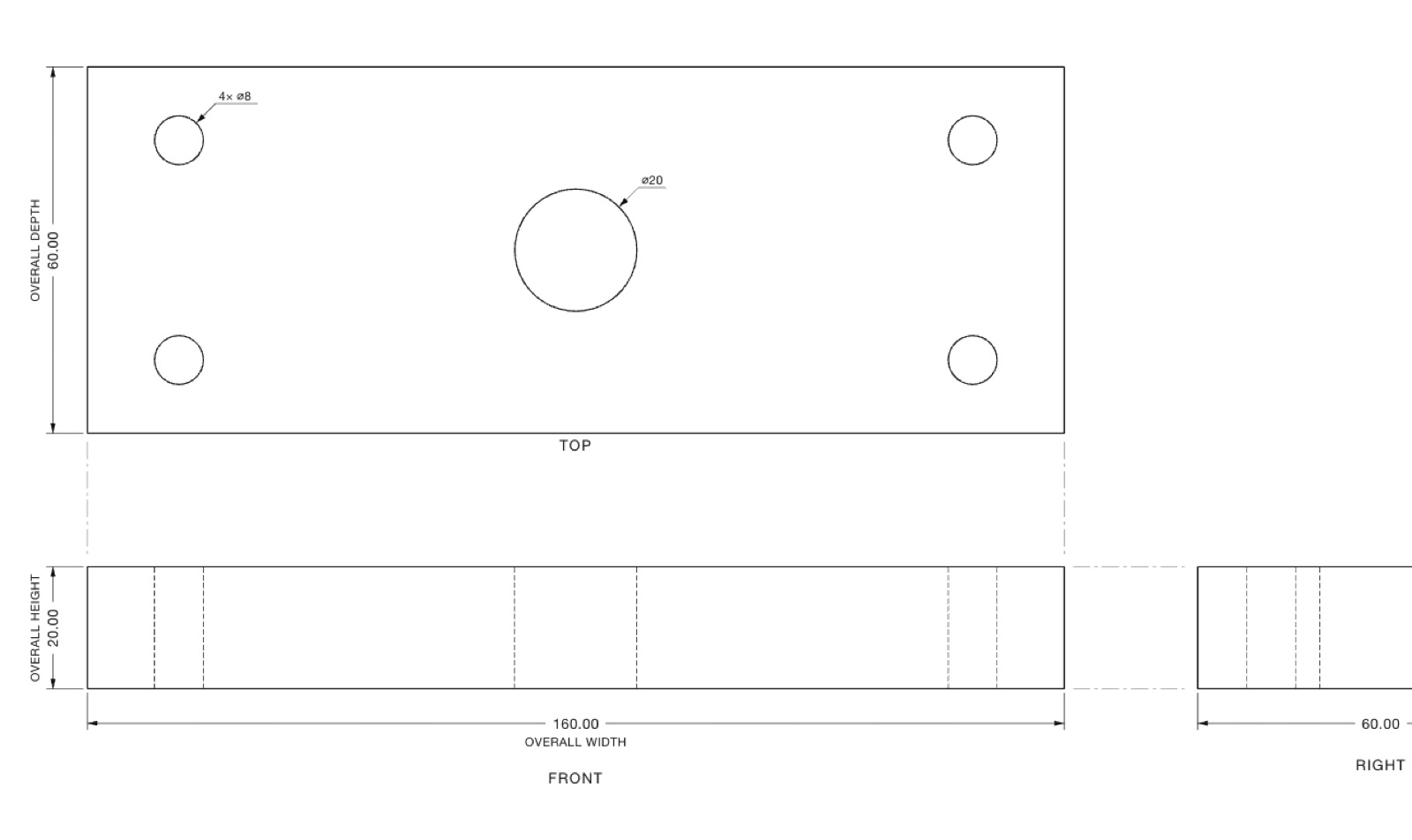
Hidden lines are dashed and tangent edges (the seams of fillets) thin. A hole seen end-on gets its ⌀ callout from the real circle, for example ⌀20 and 4× ⌀8 on the test plate. The overall dimensions are measured from the B-rep edges: 160.00, 60.00 and 20.00.
The viewer has a DXF button (LINE, CIRCLE, ARC and LWPOLYLINE on the VISIBLE, HIDDEN and TANGENT layers, in mm at 1:1). PDF now downloads a vector file: on the 34 × 22 in sheet, a 160 mm edge drawn at 2:1 measures 320 mm on paper.
Still raster for now, being finished next: section and detail views, views that show fasteners, bought-in parts with detailed geometry, and views of more than 80 parts. An all-vector 3-sheet set redraws in about 0.4 s.
- Added
- Exact hidden-line views from OpenCascade (HLRBRep)
- DXF download
- Vector PDF download at true scale
- npm run test:drawing-hlr
- Improved
- Driven dimensions measure B-rep edges
- Hole callouts read the real circle
- Try it
Add a modelled part, open Export → Dimensional drawings, then download the DXF.
Open Speed- Shipped in
064fe02