The agent uses the same commands you do
Every agent tool that changes the design is now the agent's form of a command: 22 part-modelling commands and 11 assembly commands. Sweep, loft, draft, rib, reference planes and axes, suppress, rename, rollback and mates are new to the agent. A part the agent builds has the same feature tree as one built by hand.
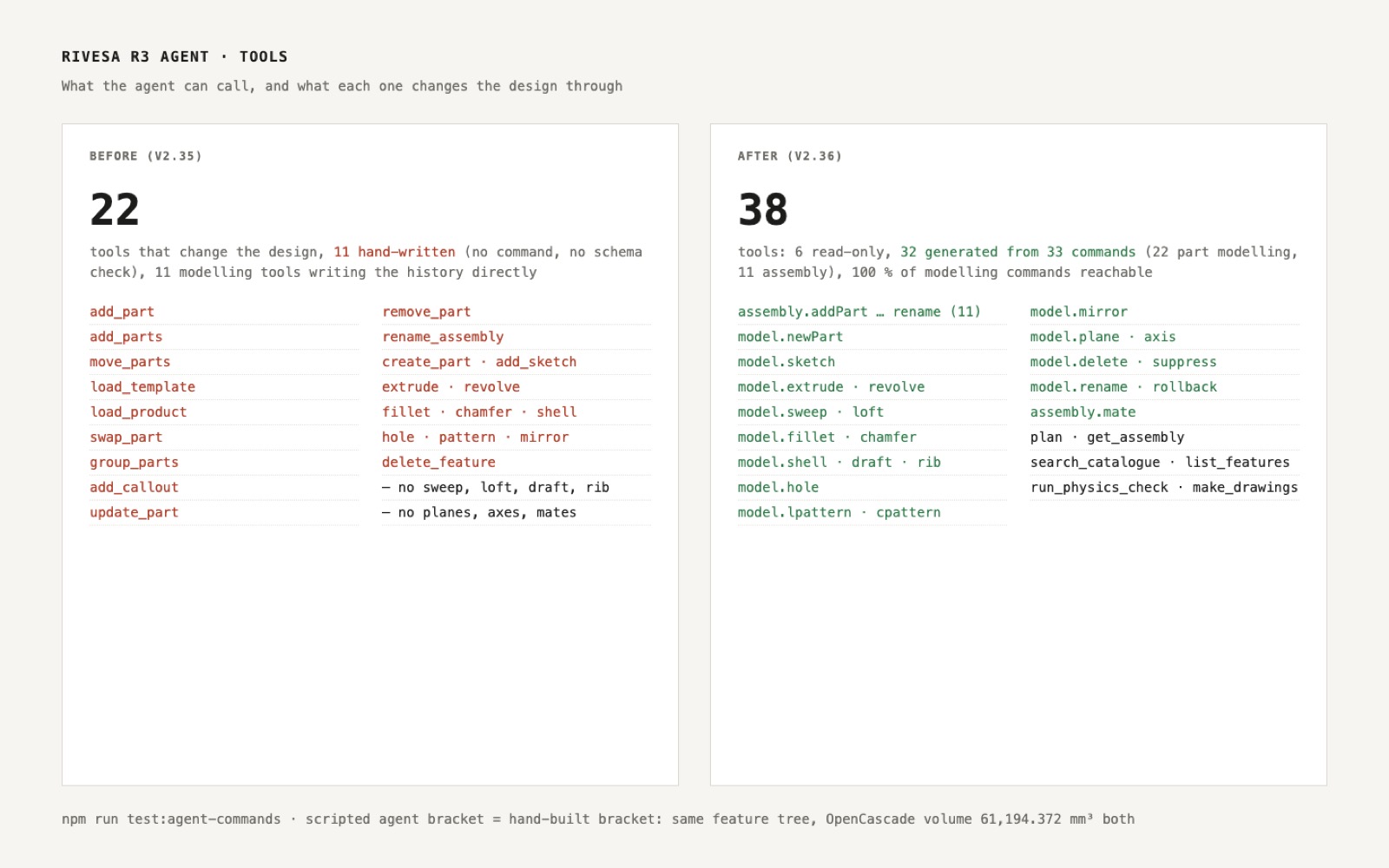
This is step N2 of the North Star plan. The agent's tool list is now generated from the command layer, plus a few tools that only read (the design, the catalogue, the feature list, the physics check). No tool edits the design on the side.
Adding a part, moving, grouping, swapping in a catalogue part, callouts and renaming are now assembly commands with their own schemas. Sketch, extrude, fillet, holes, patterns, mirror and delete keep the agent's smart edge and face pickers, but every change still goes through the part-modelling command, with the same checks the PropertyManager uses.
Checked without a live model: a scripted agent sketches an 80 × 40 rectangle, extrudes it 20 mm, fillets the four corners 2 mm and drills four M6 holes. Its feature tree matches the one built through the editor's commands, and both solids build in OpenCascade to the same volume, 61,194.372 mm³.
- Added
- Agent tools for sweep, loft, draft, rib, reference planes and axes, suppress, rename, rollback and mates
- npm run test:agent-commands
- Improved
- Agent deletes go through the Delete command and keep FeatureManager folders
- Try it
Open the Agent tab and ask: sketch a rectangle 80 × 40, extrude it 20 mm, fillet the edges 2 mm and add four M6 holes.
Open Speed- Shipped in
941388c