Every SolidWorks command on the ribbon, a File · Edit · View · Insert menu bar, and a clean canvas
The part editor now shows the whole SolidWorks command set: 11 CommandManager tabs (Features, Sketch, Surfaces, Sheet Metal, Weldments, Mold Tools, Direct Editing, Evaluate, MBD Dimensions, Render Tools, Markup), a classic menu bar, and ⌘K searching all 467 commands. 78 work today. The rest stay in their places, greyed with "Not built yet", and light up as they are built. A blank part shows only the origin and the triad.
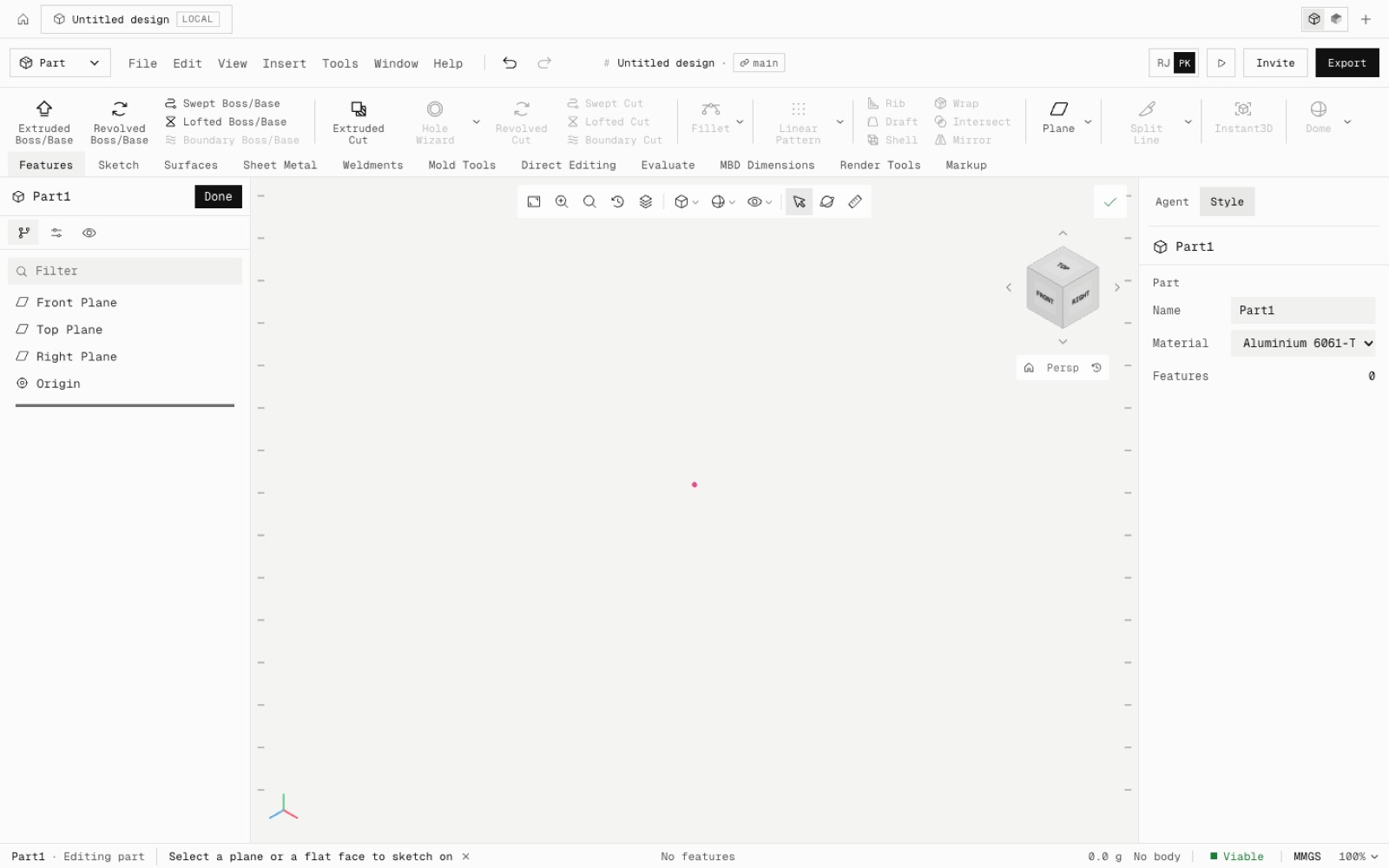
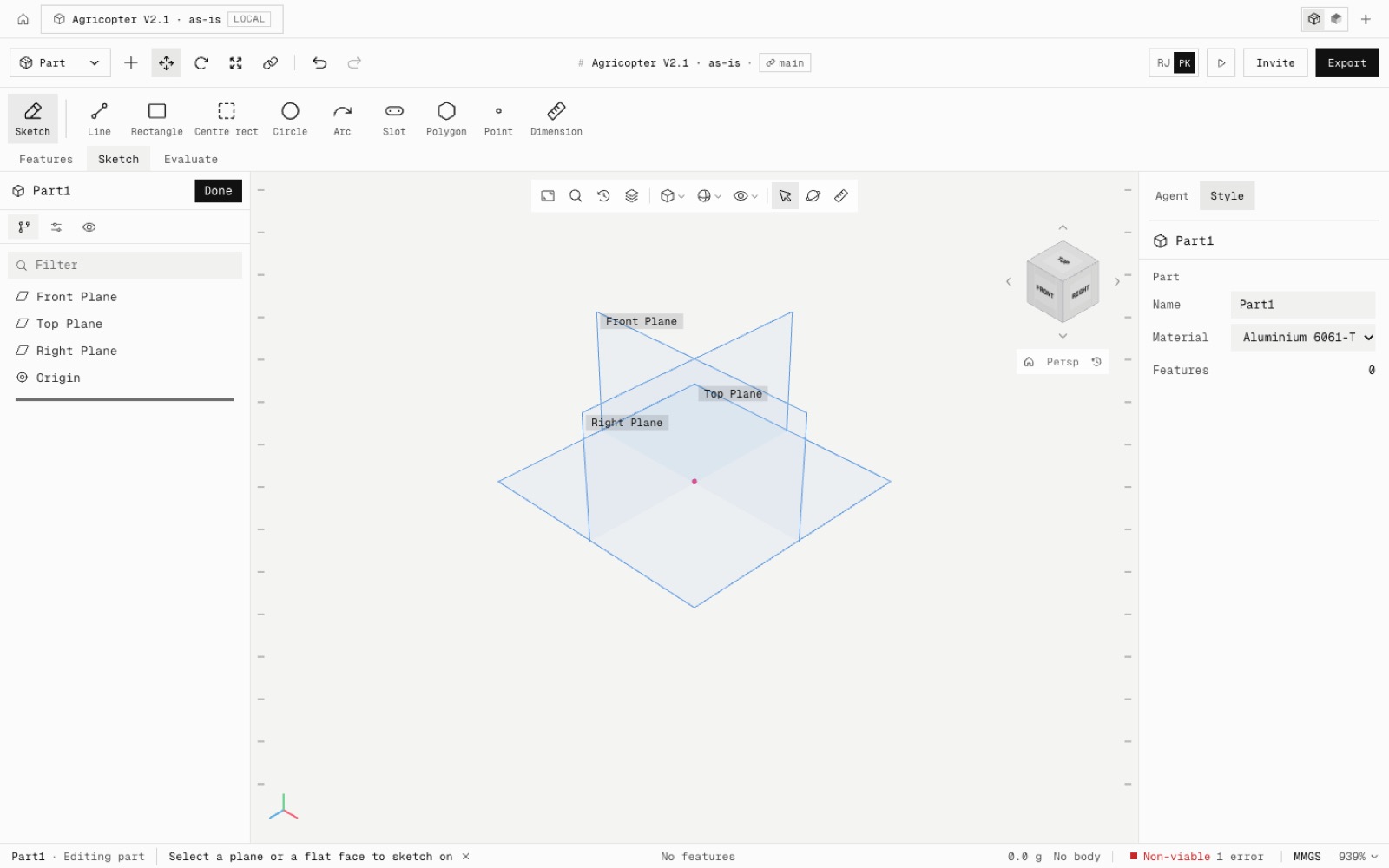
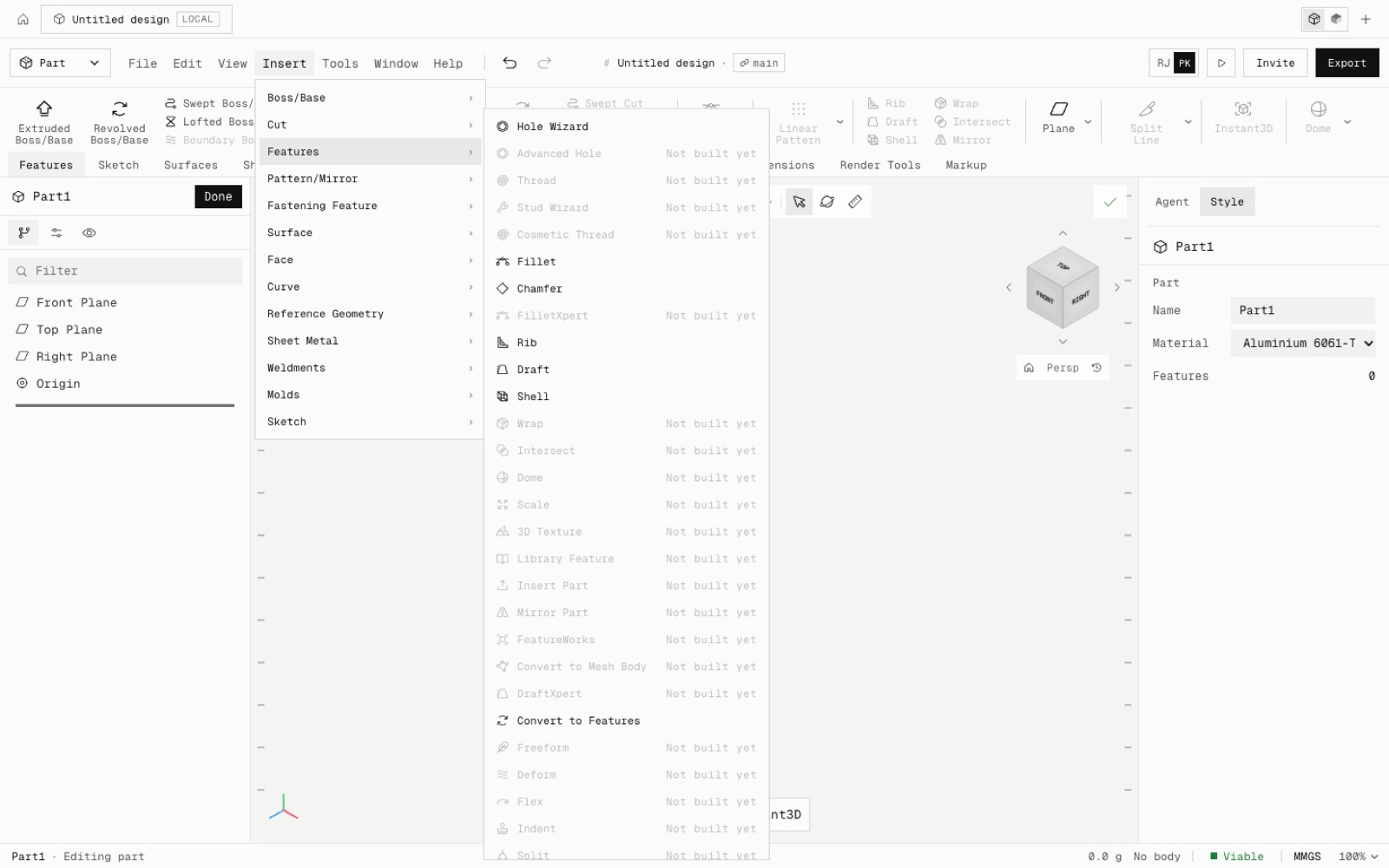
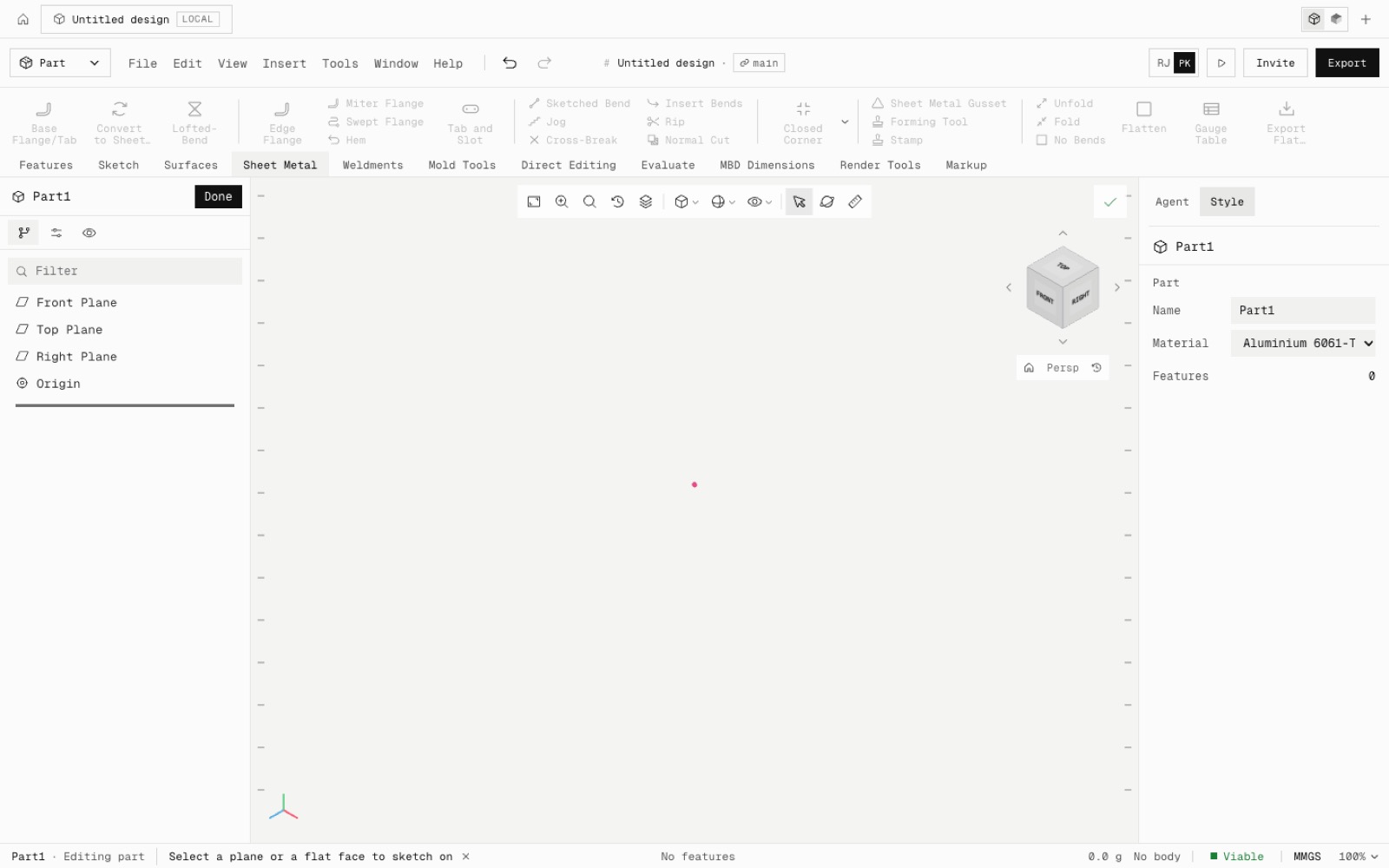
One catalog of all 467 commands from our SolidWorks parity list drives the ribbon, the menu bar and Quick actions (⌘K). A command is enabled the moment it exists in the command registry, so each new feature turns its button on without layout changes.
The ribbon follows SolidWorks' order, with separators, flyouts with chevrons and stacked small buttons. It scrolls sideways when a tab is wider than the window and switches to small icons below 1440 px. Commands that need a solid stay grey until there is one.
The menu bar (File, Edit, View, Insert, Tools, Window, Help) sits in the top bar. Insert has SolidWorks' 13 submenus: Boss/Base, Cut, Features, Pattern/Mirror, Fastening Feature, Surface, Face, Curve, Reference Geometry, Sheet Metal, Weldments, Molds and Sketch.
A new part shows only the origin and the triad. The Front, Top and Right planes appear when you start a sketch or hover their row, and the floor grid stays off while a part is open, so a sketch on Front looks straight at it. Assembly and Drawing workspaces get their own tab sets.
Built so far: 78 of 440 distinct commands. Surfaces, Sheet Metal, Weldments, Mold Tools and Direct Editing are next.
- Added
- Full CommandManager: 11 part tabs
- Menu bar: File, Edit, View, Insert, Tools, Window, Help
- Quick actions search all 467 commands
- npm run test:command-catalog
- Improved
- Blank part shows only the origin and triad
- Planes appear when picking a sketch plane
- No floor grid while editing a part
- Shipped in
dbec19f